Things happen while you are not there
Three different ways for Nia to work when you are not watching: a routine, a job and a Shortcut it writes itself.
Routines
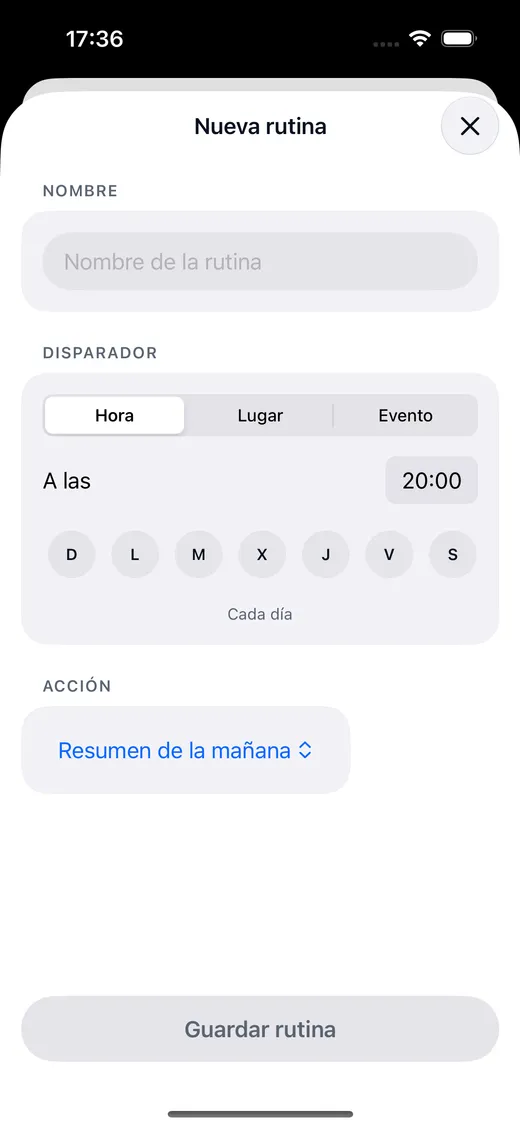
A trigger and an action. The trigger can be a time and some days, arriving at or leaving a place, or a system event. The action is any of the 63.
"Every weekday at eight, tell me about my day"
Jobs
One thing, once, in the future. It runs on the server and the answer reaches you as a notification, even with the phone in your pocket.
"Tomorrow at eight find me flights to Rome"
Shortcuts it writes
Nia compiles the steps into a real iOS Shortcut, signs it and opens Apple's import sheet. You press Add.
"Make me a shortcut that turns everything off and sets the alarm"
Three triggers, and none of them invented
- Time. A time and the days of the week you choose, with its Monday to Sunday picker.
- Place. On arriving at or leaving a place, with an iOS geofence. The "always" permission is asked for here, not before.
- System event. Things iOS genuinely notifies an app about, without faking the ones it does not.
iOS decides when to give an app background time, so a timed routine leans on a local notification at that time, with the server sending a safety net push. Nia does not promise execution to the exact second with the phone asleep, because nobody can.
And whatever you want to add yourself
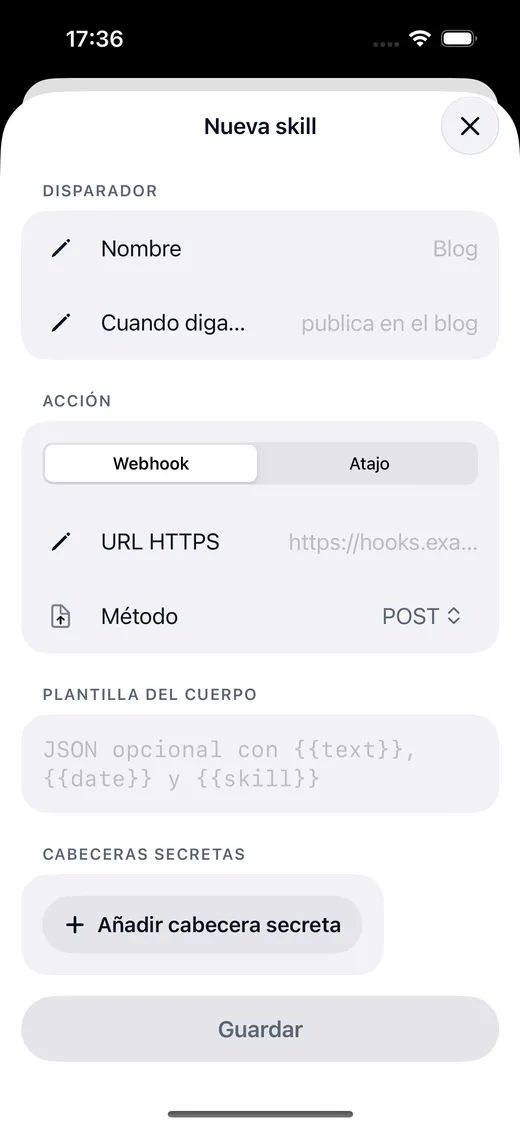
A skill is a phrase of yours that fires something of yours. Nia declares it to the model as one more tool, so it works exactly like the built in ones.
- An HTTPS webhook of yours. With the method, the JSON body and your secret headers if you need them. 15 seconds of timeout.
- A Shortcut you already have. By name, with input text, and the answer comes back to Nia.
- The card shows the HTTP status, so when your server fails you see it, instead of a generic "I could not do that".
Routines people actually set up
The morning briefing
At 8:00 Monday to Friday: the day's diary, the weather, how long it takes to reach the first thing, birthdays and what is in the inbox.
Leaving the office
On leaving a place: sends a message home to say so, and puts the route in the navigation app.
Good night
At 23:00: turns the lights off with HomeKit and sets tomorrow's alarm.
The Saturday errand
A job for Saturday at 10: finds places open nearby and sends you the list as a notification.
About routines and jobs
Can Nia create iOS Shortcuts?
Yes, on the Plus plan. Nia compiles the steps, signs the file and opens Apple's import sheet. You press "Add Shortcut", and until that moment the shortcut does not exist, and the card says so above the button, instead of taking it for granted.
Can Nia do things on its own, without me there?
Yes, on the Plus plan. A routine fires at a given time, when you arrive somewhere or on a system event. And a job ("tomorrow at eight, find me flights to Rome") runs on the server and the answer reaches you as a notification, with the phone in your pocket.
Shall we begin?
Download Nia, tell it the first thing and see what happens. The free plan asks for no card.
Free to start. Requires iOS 18. In English and Spanish.