
WhatsApp by voice: Say the message and it is written for you
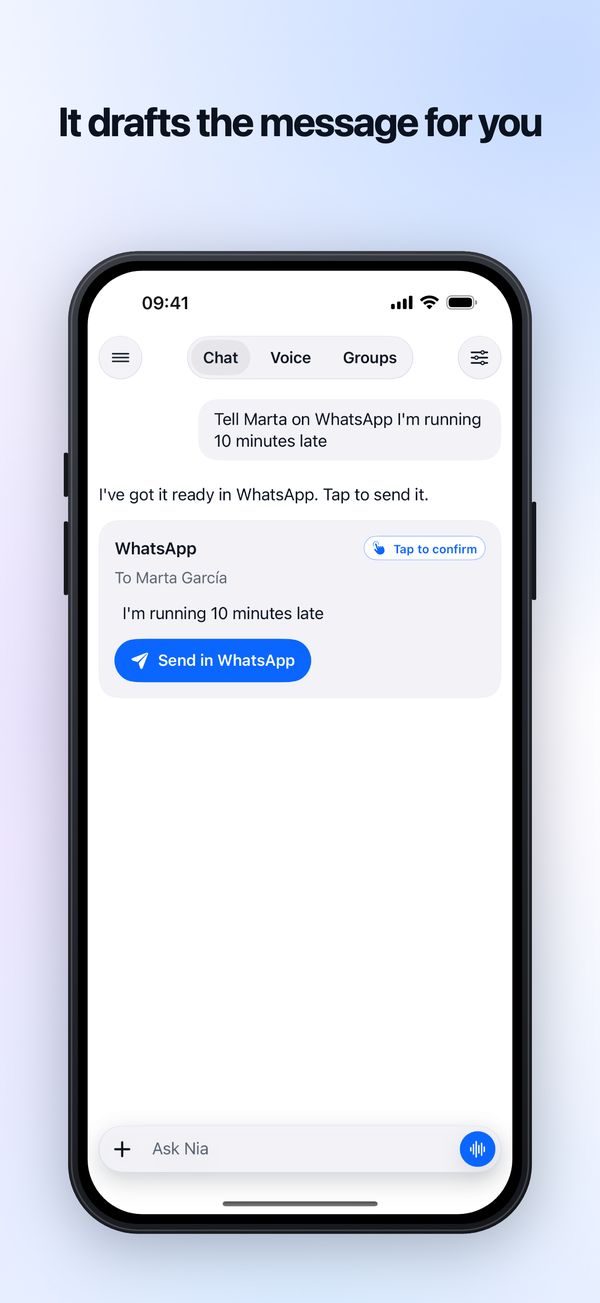
Nia finds the person in your contacts, writes the message and opens WhatsApp in that chat, with the text in place. The last tap is yours: iOS does not let any app send a WhatsApp on your behalf.
From a sentence to a written message
Call Nia
With the Action button, Control Centre, "Hey Siri, talk to Nia" or by opening the app.
Say who and what
"Tell Marta I am running ten minutes late". In your own words, no set phrases.
Nia finds the contact and writes
It looks the person up in your contacts, on the phone itself. If there are two Martas, it asks which one; if there is no number, it says so.
Tap Send in WhatsApp
The card shows who it is for and the text. Tap it and the chat opens with the message written, and you send it.
Ask the way you would say it
- "Tell Marta I am running ten minutes late"
- "Text Mum on WhatsApp that I have landed"
- "Ask Luis on WhatsApp if Thursday works for him"
- "Put dinner on Thursday at nine and let Luis know on WhatsApp"
The last one is a single command: it creates the event and writes the message in the same sentence.
Before the first time
- It is on the free plan. Each message counts as one command, and the free plan comes with five a day.
- It needs Contacts permission. Nia asks the first time, to know the person's number.
- It never says it has sent it. The card says it is ready to send, because sending is yours.
- It does not read your chats. WhatsApp gives no app access to your conversations, and Nia does not pretend otherwise.
The same goes for Messages: "Text Dad" opens Messages with the recipient and the text, and you send it. And "Call Mum" dials the number; iOS asks you to confirm before calling.
Questions about messages
Can Nia send a WhatsApp message for me?
It leaves it written and open, and you press send. That is not a decision Nia makes: iOS gives no app a way to send a WhatsApp message, send a text or make a call on your behalf. Nia resolves the contact in your address book, writes the message and opens the app on the right conversation. It will never tell you it has sent it.
Does Nia read my contacts?
On the phone, and only when it is needed for what you asked: working out who you are calling or who you are writing to. Your address book is not uploaded to any server, not even to find out which of your contacts use Nia; what does travel to the model is the name and number of the contact you pick, to prepare the message. A group invitation is a code that works once, and Nia writes it for you in WhatsApp or Messages.
What is a "command"?
One turn of conversation: you ask for something and Nia answers, even if it used three tools inside. Asking what you have tomorrow is one command. Having it create the event, set a reminder and write to Marta, all in the same sentence, is one command too.
Try it with your next "running late"
Download Nia and say it the way you would say it to a person. Free to start.
Free to start. Requires iOS 18. In 19 languages.
Last reviewed