A Siri alternative that does not claim to replace it entirely
Siri wins at one very specific thing, and it is an important thing. In everything else, Nia does what people have been asking Siri for over ten years and it still does not quite do.
Siri listens with the iPhone locked and the app closed because "Hey Siri" does not run on iOS: it runs on a coprocessor inside the chip itself, an always on processor that watches the microphone while the phone sleeps. There is no API and no permission that opens that to a third party app. Nia does not have it and does not pretend to.
What each one wins
| Siri | Nia | |
|---|---|---|
| Listening | ||
| With the iPhone locked and the app closed | Yes | No, no app can |
| From the Action button or Control Centre | Yes | Yes |
| Wake word with the app open | Yes | "Hey Nia", on Plus |
| Interrupting it while it talks | Partly | Yes |
| Changing language halfway through a conversation | No | Yes, two recognisers at once |
| Understanding | ||
| A long sentence with several conditions | Not much | Yes |
| Chaining three actions in one turn | No | Yes |
| Remembering what you told it a month ago | No | Yes, with a memory of its own |
| Following the thread of the previous conversation | Barely | Yes |
| Searching Google and citing you the source | It opens the browser | Answers with the sources |
| Reading a link you paste in | No | Yes |
| Answering about your own PDFs | No | Yes, citing the page |
| Doing | ||
| Calendar, Reminders, alarms | Yes | Yes, and with undo |
| Generating an image and saving it to Photos | No | Yes |
| Taking a person out of a photo | No | Yes, in Nia Studio |
| Reading and sending Gmail email | No | Yes |
| Writing you a new iOS Shortcut | No | Yes |
| Running something tomorrow at eight without you | No | Yes, jobs and routines |
| Calling a webhook of yours with one sentence | Only through Shortcuts | Yes, directly |
The best thing is to use both
Nia declares itself to Siri as an app you can talk to. So the door Nia is missing is the one Siri opens, and what Siri cannot do, Nia does.
- "Hey Siri, ask Nia what I have tomorrow". Siri answers with the answer from Nia without opening the app.
- "Hey Siri, talk to Nia". It opens Nia already listening.
- From the Action button or the Control Centre control, from the Lock Screen too.
- From any Shortcut of yours, as one more step in an automation you already have.
Siri is not bad: it is a different thing
Siri is a system assistant, and that brings two consequences. The first one is good: it reaches places an app does not, like the Lock Screen, the audio coprocessor or CarPlay, and it starts instantly. The second is the price of the first: it has to answer in tenths of a second, in fifty languages, with no connection and without getting it wrong, and that pushes it towards closed grammars and short answers.
Nia makes the opposite bet. It accepts taking a couple of seconds, it accepts needing a connection and it accepts living inside an app, and in exchange it can send your whole sentence to a large model with your memory, your calendar and a catalogue of tools in front of it. That is why it understands "add dinner with Luis on Thursday at 9 at Casa Lucio and remind me an hour before" in one go, and why it cannot hear you with the phone in your pocket.
If you are looking for a Siri alternative because you are tired of repeating sentences three times, that is what Nia is about. If you are looking for one so that it hears you with the phone switched off, no app in the App Store can give you that, and anyone who tells you it can is selling you something else.
Nia compared with Siri
How is Nia different from Siri?
Siri is the system assistant and it wins on one thing: it listens with the iPhone locked and the app closed, because it runs on a coprocessor no third party app can reach. Nia wins on the rest: it understands a long sentence with several conditions, remembers what you tell it, chains several actions in one turn, searches Google, reads your documents and gives you routines and jobs that run on their own. And when it cannot do something, it says so, instead of opening a web search.
Does Nia replace Siri?
Not entirely, and that is on purpose. Siri is still the way in when the phone is locked: you can say "Hey Siri, ask Nia what I have tomorrow" and Siri answers with Nia's answer without opening the app. Nia also lives in the widget, in Control Centre and on the Action button. What Nia is for is what happens after the sentence, not the sentence.
Is Nia always listening?
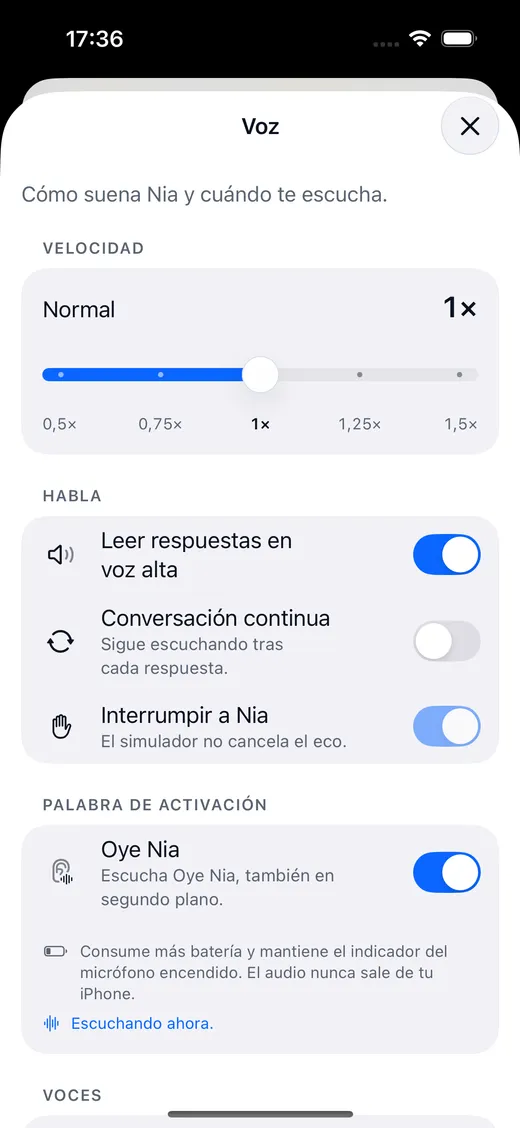
No. The wake word "Hey Nia" is switched on by hand in Settings, with its battery warning, and it only works with the app open or with background audio mode on. With the app closed, Nia does not listen, and that is not a fault: iOS does not allow it to any app other than Siri. While it is listening, the orange microphone indicator is on, as it should be.
Does my voice leave the iPhone?
Dictation and the wake word are recognized on the device itself. What travels to the server is the text of what you said, so the model can understand it. Group radio is the exception: when you turn it on and hold to speak, the voice notice travels to the server to reach people in that group who turned their listening on. Reading a receipt, translating text, Nia Studio masks and your location also stay on the phone, with location rounded to a kilometre before it leaves.
Does Nia work in Spanish?
Yes, and it was built in Spanish first. It also speaks English, and in automatic mode two recognisers run at the same time on the device: the one that understands with more confidence wins, so you can change language halfway through a conversation.
Does group radio record my voice?
A voice notice is only sent when you turn radio on and hold to speak. There are no public channels and nobody can turn listening on for you. A notice lives in memory for about thirty seconds so it can reach people who chose to listen. If someone reports it, it is kept for thirty days so it can be reviewed. There is no end to end encryption and Nia does not identify anyone by their voice.
Does Nia appear outside the app?
Yes, in seven places: the Home Screen widget with your next event, the Control Centre control and the Action button, Siri and Shortcuts, the Live Activities in the Dynamic Island, Spotlight search, the share sheet in Photos and the notifications for a finished job.
Shall we begin?
Download Nia, tell it the first thing and see what happens. The free plan asks for no card.
Free to start. Requires iOS 18. In English and Spanish.