You tell it once
The difference between an assistant that helps and one that does not is whether you have to explain the same thing every morning. Nia remembers, and you can see exactly what.
Saved by talking, and it comes back on its own
There is no settings screen to open and no profile to fill in. You say something and it stays; the next time it matters, it shows up without you asking.
- "Remember that I am allergic to shellfish"
- "Note that I took the car in for a service in March"
- "My boss is called Clara and she is always late"
- "What did I tell you about the apartment?"
After that, "find me a restaurant for four tonight" already comes filtered by the allergy, without you naming it again.
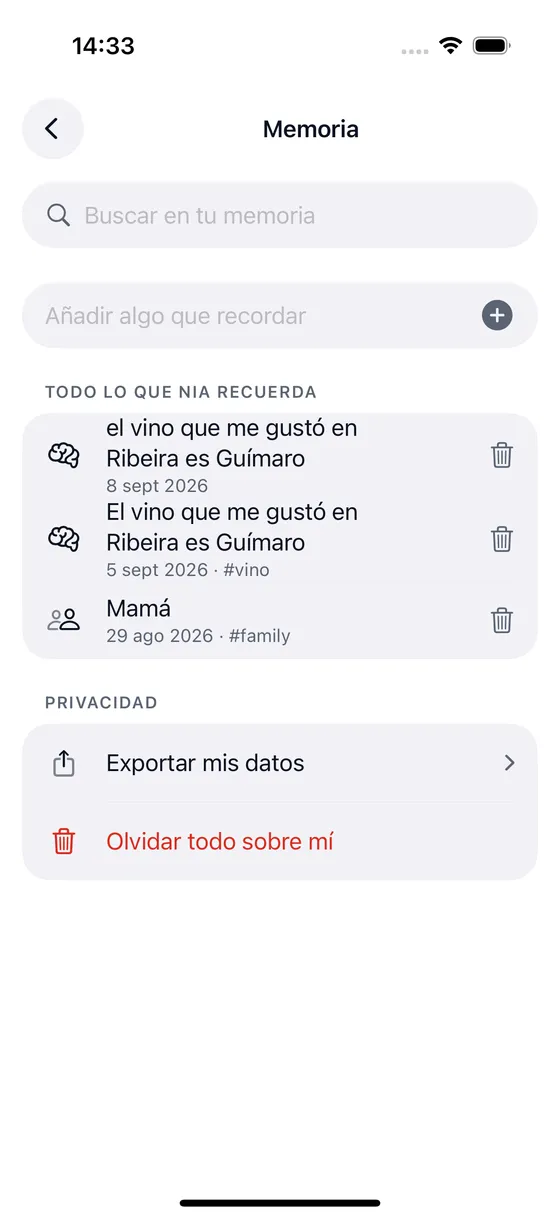
Everything it knows, on one screen
Search and read
The whole list, with its own search. There is no hidden memory that Nia uses and you cannot see.
Delete one at a time
Or "forget everything about me", which clears the whole list at once.
Export
One file with everything of yours: conversations, memories, routines and skills.
Passwords are not saved
If you say a password out loud, Nia spots that it is one, writes nothing and gives you two buttons. Your answer sticks and you change it in Settings.
For a memory to be searchable by meaning, its representation has to be computed over the text, so encrypting it would break exactly what makes it useful. Because that is how it works, Nia does not decide on its own what is too sensitive to keep: it asks you.
And if you want, it becomes a diary
A memory tagged as diary is a diary entry: you tell it how the day went out loud while you walk, and later you can ask it about what you wrote.
"Put in the diary that today was long but I finished the project"
On Plus a memory lives 30 days. On Pro it never expires.
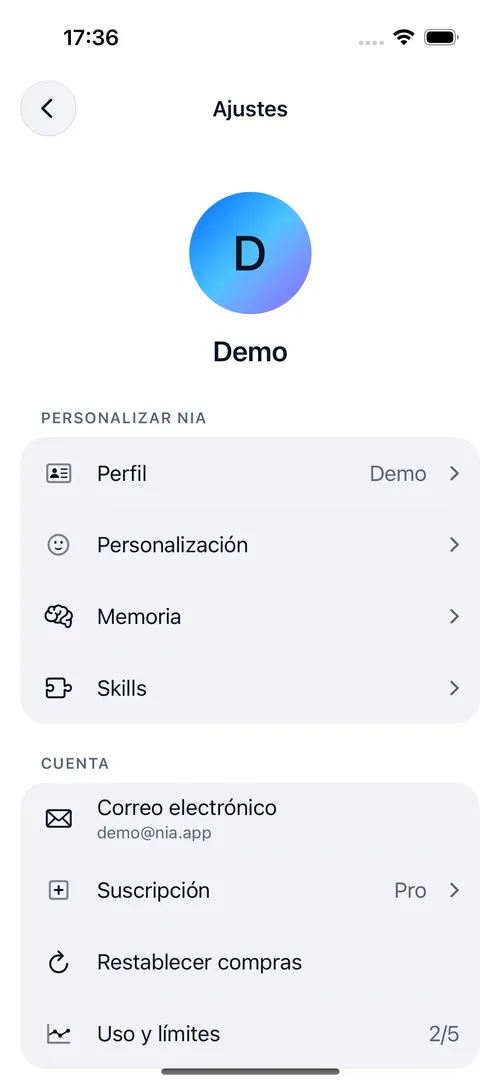
About memory
Does Nia remember what I tell it?
On the Plus or Pro plan, yes. You can say "remember that I am allergic to shellfish" and it will take that into account the next time it looks for a restaurant. Everything it remembers sits on one screen where you can search it, edit it, delete entries one by one or delete the lot. And if you say a password out loud, Nia does not save it: it works out that it is a credential, writes nothing and asks you what to do.
Is Nia always listening?
No. The wake word "Hey Nia" is switched on by hand in Settings, with its battery warning, and it only works with the app open or with background audio mode on. With the app closed, Nia does not listen, and that is not a fault: iOS does not allow it to any app other than Siri. While it is listening, the orange microphone indicator is on, as it should be.
Does my voice leave the iPhone?
Dictation and the wake word are recognized on the device itself. What travels to the server is the text of what you said, so the model can understand it. Group radio is the exception: when you turn it on and hold to speak, the voice notice travels to the server to reach people in that group who turned their listening on. Reading a receipt, translating text, Nia Studio masks and your location also stay on the phone, with location rounded to a kilometre before it leaves.
Does Nia remember what I tell it?
On the Plus or Pro plan, yes. You can say "remember that I am allergic to shellfish" and it will take that into account the next time it looks for a restaurant. Everything it remembers sits on one screen where you can search it, edit it, delete entries one by one or delete the lot. And if you say a password out loud, Nia does not save it: it works out that it is a credential, writes nothing and asks you what to do.
Can I delete my data?
Yes, and without writing to anyone. Settings, under Account, Delete account removes your conversations, your memories, your routines, your skills and your devices. You can also export all of it first, in one file.
Does group radio record my voice?
A voice notice is only sent when you turn radio on and hold to speak. There are no public channels and nobody can turn listening on for you. A notice lives in memory for about thirty seconds so it can reach people who chose to listen. If someone reports it, it is kept for thirty days so it can be reviewed. There is no end to end encryption and Nia does not identify anyone by their voice.
Shall we begin?
Download Nia, tell it the first thing and see what happens. The free plan asks for no card.
Free to start. Requires iOS 18. In English and Spanish.