Ask for it and it shows up in your Photos
Making an image with AI is everywhere by now. What is not everywhere is that it arrives already saved in the album in your camera roll, ready, with nothing to download.
One sentence, one image, in your camera roll
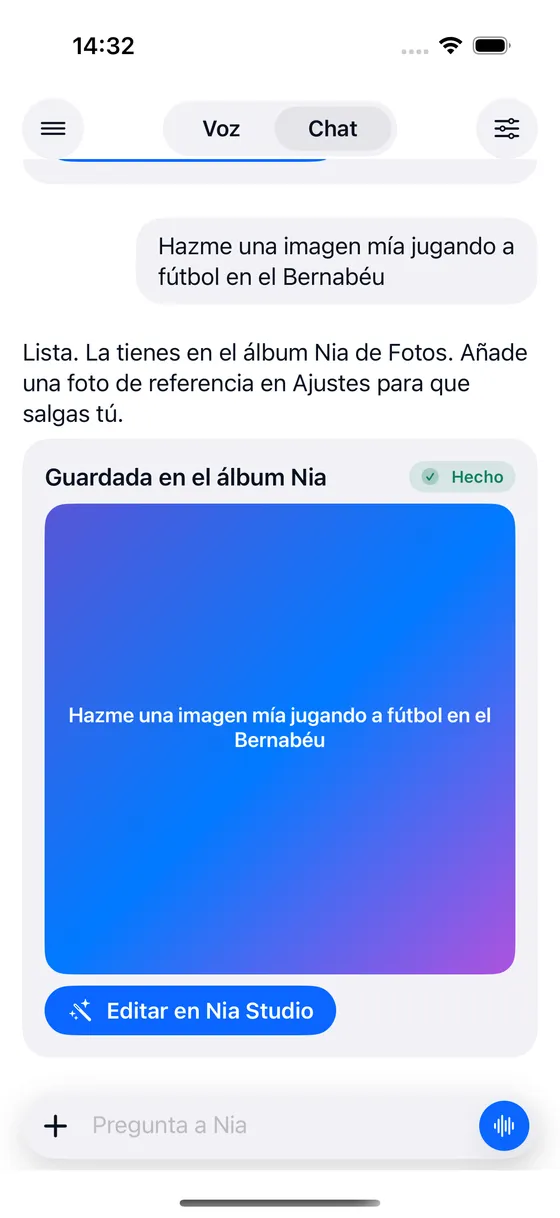
There is no image mode to go into and no form to fill in. You say it and that is that, the same way you ask for an alarm or a reminder.
- "Make me an image of me playing football and save it to Photos"
- "A beach at sunset, vertical for stories"
- "The same one but in black and white, in 4K"
- "Put together a post with yesterday photos"
Six things that rarely come together
You ask out loud
In the same conversation where you ask it for anything else. No settings panel and no parameters to learn.
They land in your camera roll
Nia saves them by itself to the Nia album in the Photos app. No download, no separate gallery, no exporting.
You can be in them
With a reference photo saved in Settings, the person in the image is you and not a stranger who looks a bit like you.
In the shape you ask for
Square, vertical for stories, landscape or 4:5. You say it in those words and out it comes that way.
In high quality or in 4K
If you do not say which one you want, Nia asks you with two buttons instead of spending the good one without warning.
And they are retouched on the spot
The result card carries a button that opens the image in Nia Studio to change whatever you do not like.
Three free, and after that by the month
| Free | Plus | Pro | |
|---|---|---|---|
| Images | 3 in total | 25 a month | 60 a month |
| Of those, in 4K | none | 3 a month | 10 a month |
| 6 second videos | none | none | 6 a month |
They are three images in high quality, not a cut down version with a watermark on it. And making an image does not spend any of the commands for the day: it has a count of its own.
About the images
Does Nia generate images?
Yes, and it saves them to a "Nia" album in your Photos. The free plan comes with three images in HD; Plus gives 25 a month and Pro 60, with a few of them in 4K. If you give it a reference photo, you can be in the image yourself. And Nia Studio, the editor, removes objects and people, changes the background and restyles, with the masks computed on the iPhone itself.
Where are the images Nia creates saved?
In the Photos app on your iPhone, in an album called Nia. There is nothing to download and no separate gallery to look in: they appear in your camera roll like any other photo, and from there you share them, edit them or delete them like the rest.
Shall we begin?
Download Nia, tell it the first thing and see what happens. The free plan asks for no card.
Free to start. Requires iOS 18. In English and Spanish.